Your work submitted to BoP will be placed in a queue until it gets reviewed. Below, you can read some tips about writing great contributions...
We welcome all constructive edits, but please make them substantial. Avoid trivial, tiny one-letter edits unless absolutely necessary.
Please do not submit any unlawful content (will be deleted).
Your work can be edited, used and redistributed by anyone - subject to certain terms and conditions.
Before you start writing, check first (e.g. using full-text search or index), if similar contributions are already part of the catalogue.
If you find, what you are going to write about, click on the corresponding link and see, what is already there. Many index entries are already there, but are empty and ready for being edited. Enjoy!
This is an English-language site. Please make an effort to write at least reasonably correct English.
Adding content to BoP is very easy, but slightly different from adding content to blogs or to other wikis
you might find on the Internet. Learn in a short step-by-step introduction how:
If you want to contribute as a guest, proceed with step 2. If you want to be attributed as an author, you will need to login. If you do not have an account yet, please sign up first.
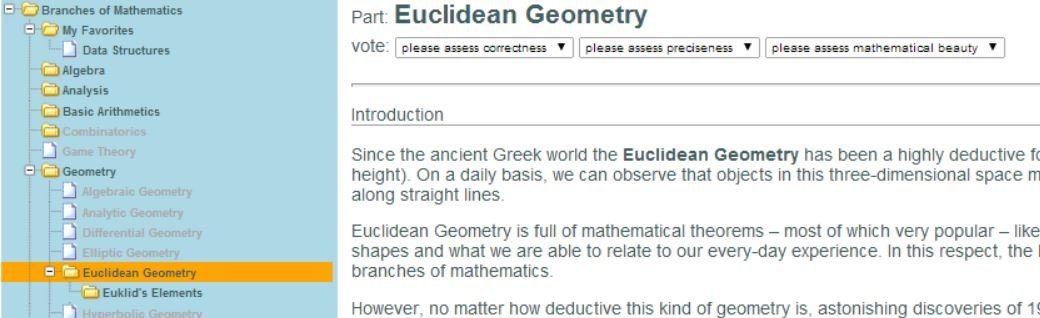
Select the folder you want to add your content to by using the content tree. The content tree is visible on the left side of the page. Folders which are marked bold, have a content. Gray-marked folders are empty yet.
If you click on a bold folder, it will be selected and its content will be displayed right to the content tree. In the following figure, the folder "Euklidean Geometry" has been selected:
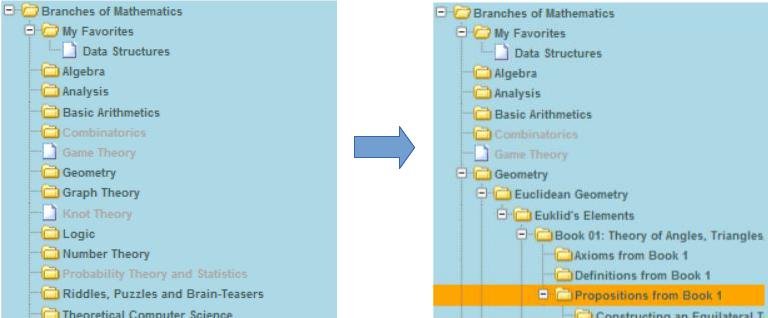
While adding new content, it is important to select the appropriate folder. In the following example, we want to add a new theorem (more specifically a proposition) to the the First Book of "Euklid's Elements".
The appropriate folder to do this is shown below:
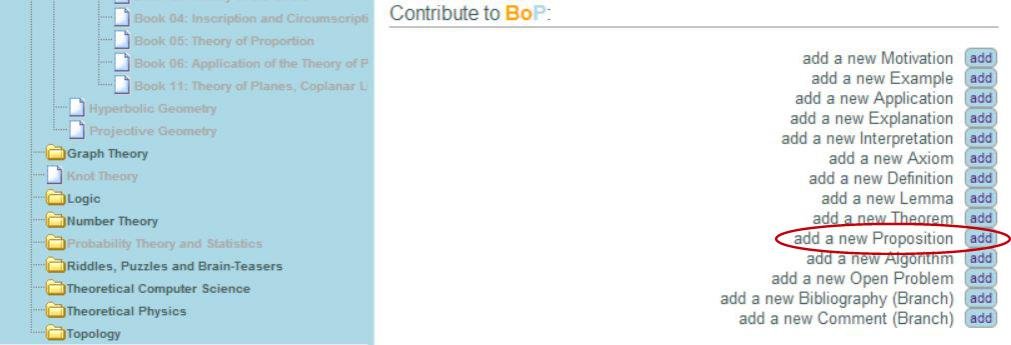
Look for the section "Contribute to BoP" in the bottom-right corner of the page and select the
type of content you want to add. In our example, we will add a proposition by clicking the corresponding "add" button:
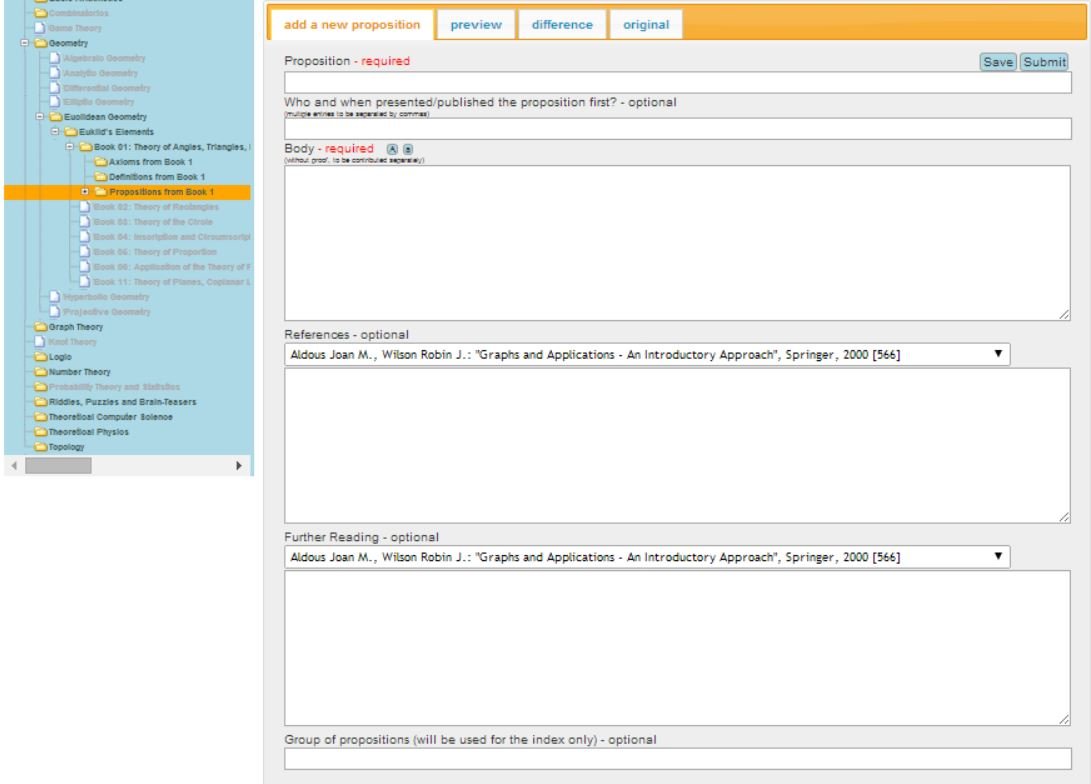
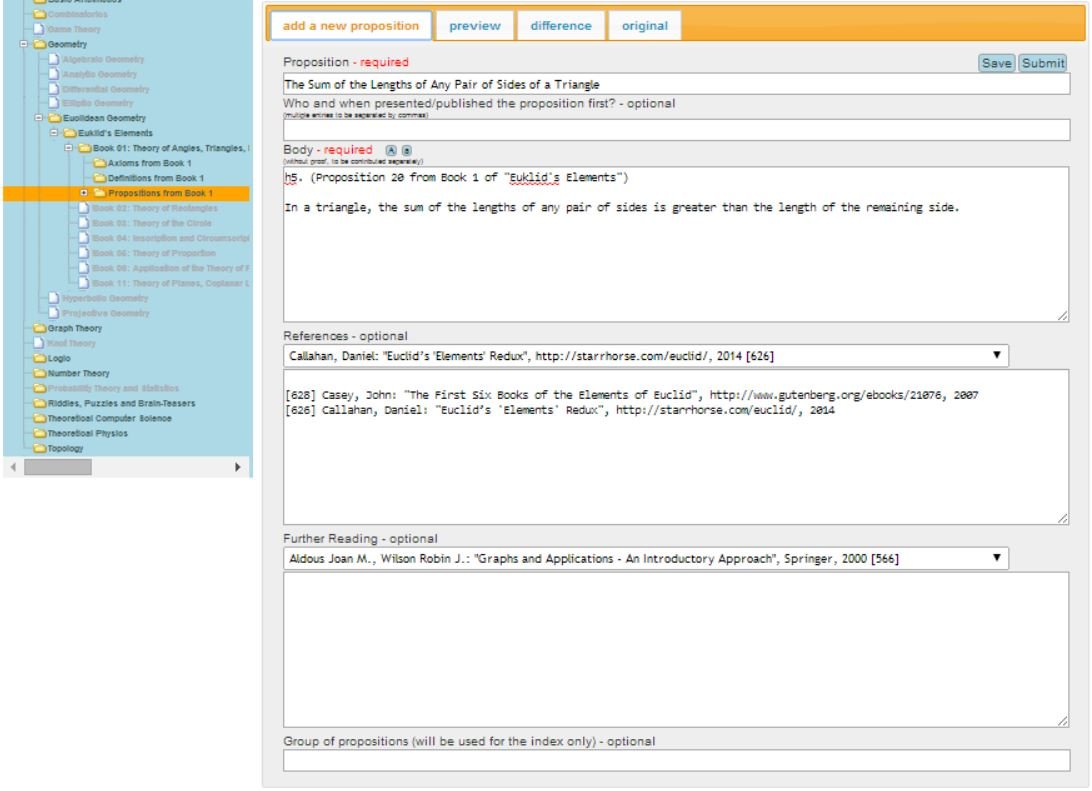
Each type of content has its own mandatory and optional fields you have to fill. In our example, the fields "Proposition" and "Body" are required, while the remaining fields are optional.
Fill-in all mandatory fields and any optional fields. You can use a combination of a simple mark-up and mathjax to fill the fields (learn more).
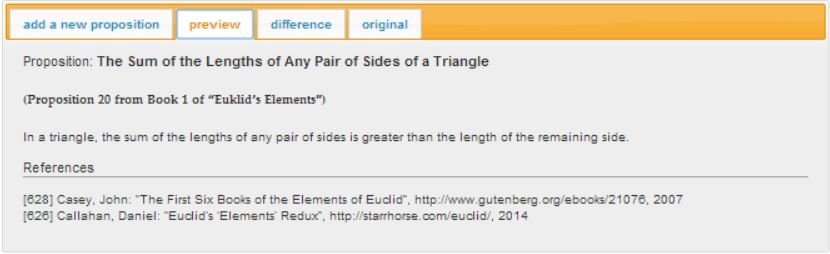
Preview the result by clicking the "preview" tab.
An important step is saving your work by clicking the "Safe" button (also each click on the "preview" tab will save your work automatically).
Your saved work will be available, even if you stop working on your contribution and log out. After you log in again, reloading your previously saved work is as simple as repeating the steps 3 and 4 again.
This way, you can easly work on complex contributions (e.g. containing many formulas), which require a longer preparation.
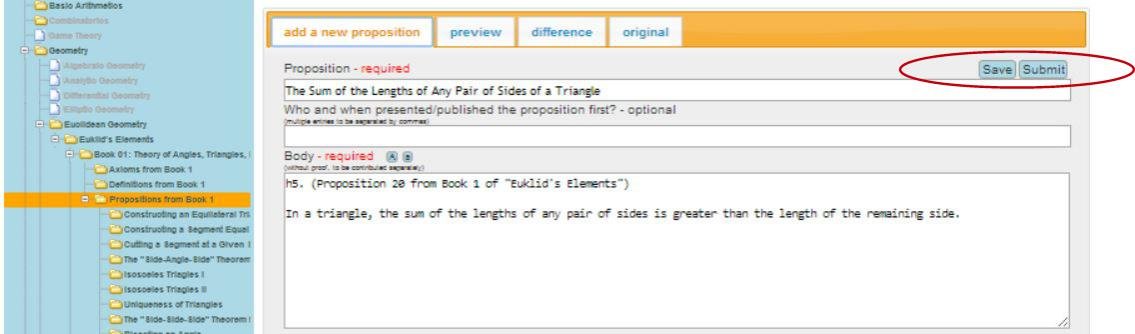
If you find the result of your previewed work satisfactory, you can submit it by clicking the "Submit" button:
Your submitted work will be placed in a queue until it gets reviewed.
You will be prompted for an optional comment (e.g. the reason of your edition) for the reviewer of your work.
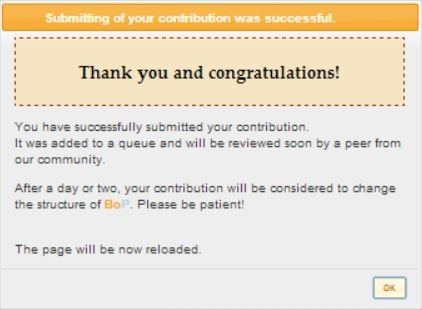
After clicking the "Yes" button, you will receive a confirmation message:
After a day or two your contribution will be reviewed and added to the catalogue of BoP.
Comprehensive Pseudocode Rendering Engine
If you ever tried to render an algorithm written in a pseudocode, you probably have noticed that it's not easy to create pretty-looking pseudocode without special typesetting libraries.
BoP provides a simple pseudocode for
writing algorithms and a server-based
engine translating these pseudocode into files interpretable by MathJax in your browser (see above).
Basically, all you have to do is to fill out a form (when typing your pseudocode algorithm) and see the result.
The corresponding form is available in the inner space of BoP, so you have to log in to use it.
Check out some screenshots:
External and Internal Links
There are things you have to keep in mind when creating links. First of all, external links have to be relevant to your content and lawful (otherwise they will get removed).
You can use simple text markup to create external links. In order to create internal links inside the catalogue of BoP, you will have to pay attention to some
simple details in order
to make your links work.
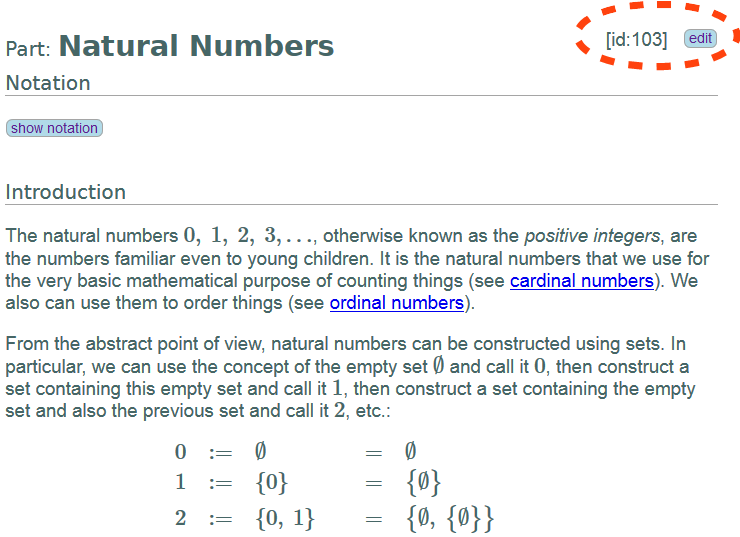
All posts of BoP have a unique ID
which you can find in the upper right corner of the post's content (see figure below):
Simply use the URL "http://www.bookofproofs.org/branches/", followed by an URL parameter "?dd=" (dd stands for "drill-down") with this unique ID, like this:
My internal link to "natural numbers":http://www.bookofproofs.org/branches/?dd=103
If you want to create a link to our historical catalogue, make sure you use "/history/?dd=" instead of "/branches/?dd=" at the end of the URL, using the unique ID from this catalogue (all IDs are unique, no matter if they are inside the /branches or inside the /history catalogue), like shown below:
My internal link to "Leonard Euler":http://www.bookofproofs.org/history/?dd=53
Finally, if you want to insert images in your content, make sure they are available under conditions stated here.
Also, your self-made graphics are wellcome! If you want to make them publicly available on BoP under these copyright conditions,
publish them using possibilities described at the creative commons website and then include them in your content using the following text markup:
Using exclamation marks ! you can include scaled images in your text and link to them: